A native GTK4 GUI and companion CLI for OpenVPN 3 Linux — full D-Bus integration, no vendor lock-in.
curl -fsSL https://raw.githubusercontent.com/hassan-mehedi/openvpn-linux-client-gui/main/install.sh | bash Built on top of OpenVPN 3 Linux D-Bus services — no wrappers, no workarounds.
Import from .ovpn file, HTTPS URL, or openvpn:// token URL. Search, rename, and delete profiles with ease.
Connect, pause, resume, restart with a formal state machine. Credentials and MFA prompts handled automatically.
Real-time bytes transferred, packet counts, latency, and a live throughput rate graph per active session.
Service reachability checks, guided recovery workflows, and one-click redacted support bundle export.
Save and manage HTTP/SOCKS proxies, assign them per profile, or override at connect time.
Full automation surface for profiles, sessions, settings, proxies, and diagnostics. JSON output supported.
.ovpn file association, openvpn:// URI handler, StatusNotifier system tray, XDG autostart, and AppStream metadata.
Optional systemd user service and polkit policy for boot-time, unattended VPN connections.
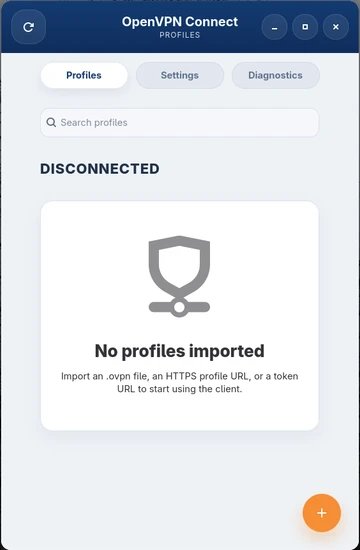
Real UI — no mockups. Click any screenshot for a full-size view.
Get up and running in under a minute on your Linux distribution of choice.
Fastest path for regular users. Installs the latest packaged release with DNF.
$curl -fsSL https://raw.githubusercontent.com/hassan-mehedi/openvpn-linux-client-gui/main/install.sh | bash Recommended for Debian-family desktops. The installer handles OpenVPN 3 repo bootstrapping when needed.
$curl -fsSL https://raw.githubusercontent.com/hassan-mehedi/openvpn-linux-client-gui/main/install.sh | bash Best for development and UI work. Use system site packages so GTK bindings stay visible to the virtualenv.
$git clone https://github.com/hassan-mehedi/openvpn-linux-client-gui.git
cd openvpn3-client-linux
uv venv --system-site-packages
uv sync --dev
uv run ovpn3-linux-gui Need more detail? Read the full installation guide →